

01
Auto-Capture Every Conversation
Connect your calendar and BuildBetter auto-joins every external meeting as a participant. No manual setup per call—configure once and capture everything.

A customer-led workflow
Find product-market fit faster by turning every customer conversation into searchable, shareable intelligence—without hiring a research team.
Customer evidence

“Citations in reports are critical for us. They build trust and prove accuracy — when leadership sees top citations, it reinforces credibility.”
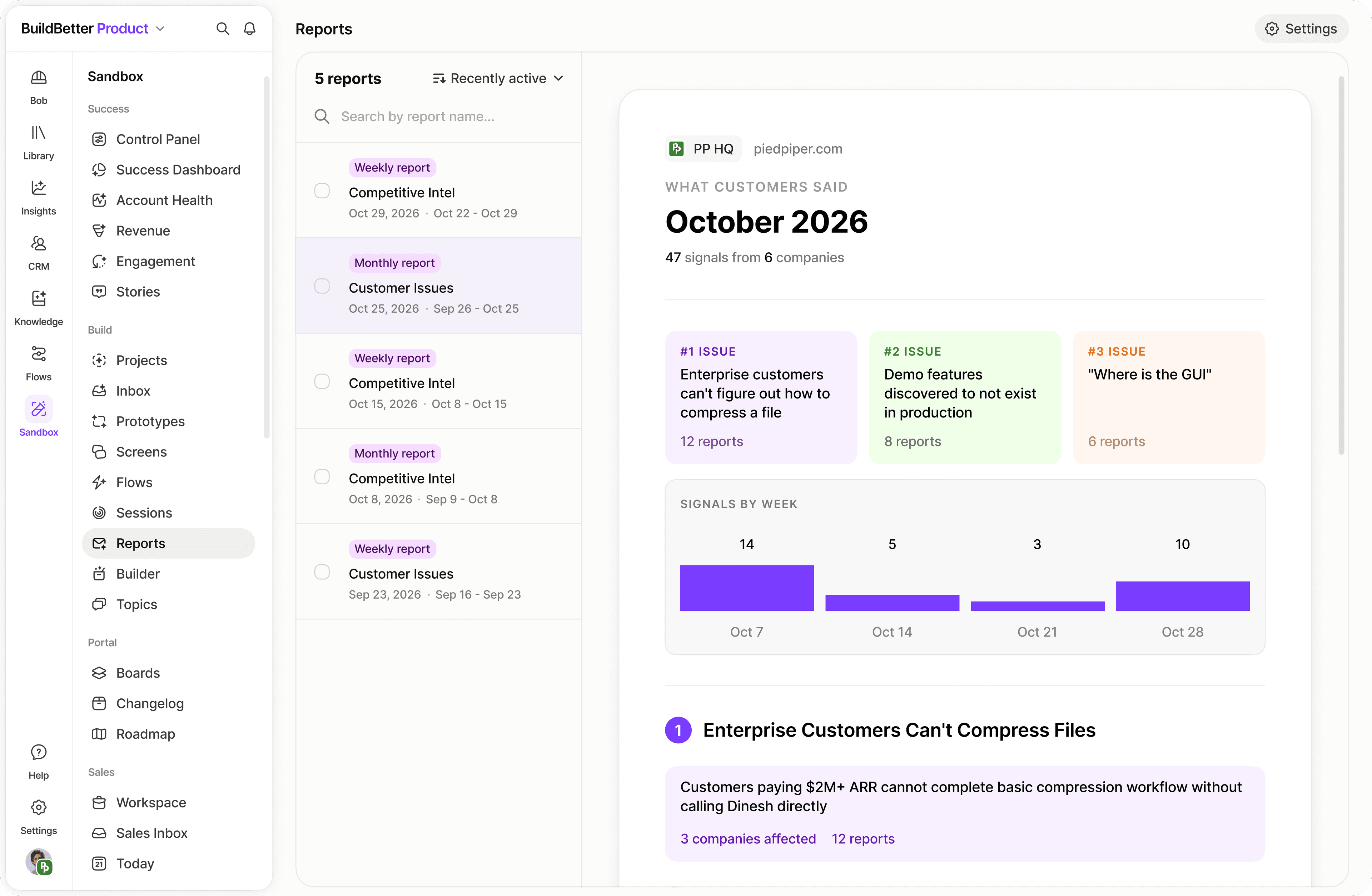
Ask a specific question of your company context. Inspect the accounts and source material behind the answer before using it in a report or a team decision.
01
Connect your calendar and BuildBetter auto-joins every external meeting as a participant. No manual setup per call—configure once and capture everything.
02
Signals are automatically extracted from every call: problems, interests, objections, questions. Filter by type to see which problems are mentioned most across all your conversations.
03
Ask Chat plain-language questions: "What is the single biggest problem customers are facing?" and get cited answers with exact customer quotes and mention counts.
04
Tag calls by customer type—Enterprise, SMB, Early Adopter—and compare signals across segments. Discover that enterprise cares about security while SMBs care about price.
05
Schedule a Friday analysis: "Summarize top 3 insights from customer conversations this week. What changed from last week?" Delivered automatically without any manual work.
06
Generate investor updates directly from your conversation data. Replace vague claims with: "23 out of 50 customers mentioned this problem unprompted, and sentiment has trended positive for 8 weeks."
Go to Settings → Integrations. Connect Google Calendar or Outlook. Create recording rules: external attendees auto-recorded, internal meetings excluded.
Drag and drop existing audio or video files. Tag each upload: Customer Discovery, Sales Call, Support Call, Investor Call. Start your 100-count from today—past calls are bonus context.
Set up folders: Customer Discovery, Sales Calls, Support & Bugs, Investor Conversations, Partner Discussions. Configure auto-tagging workflows to sort new calls automatically.
Add cards: count of Problem signals, bar chart of top 5 problems by mention count, sentiment ridge chart. Bookmark it and check every 10 calls.
Open Chat: "Based on my customer discovery calls, what is the single biggest problem customers are facing? Show me quotes from multiple customers." A PMF signal: 7+ of 10 customers mention the same core problem unprompted.
Filter Signals by type: Interest (buying signals), Objection (concerns), Question (confusion). Monitor the ratio as you start pitching your solution.
Every Friday ask Chat: "What did I learn this week from customer conversations? What patterns emerged?" Then follow up: "What objections came up most?" and "Did anyone mention competitors?"
Add tags to calls: Enterprise, SMB, Individual, Early Adopter. Filter signals by segment to discover which customer types have the strongest pain and best fit.
Filter Signals by type Objection. Ask Chat: "Generate a document summarizing all objections and suggested responses." Share it with your team—everyone uses the same answers.
Go to Settings → Scheduled Tasks. Create a task: "Analyze all customer discovery calls from this week. What are the top 3 insights? What changed from last week?" Delivered every Friday at 5 PM.
Add time-series charts: customer sentiment over time, problem mentions by week, percentage mentioning your core problem. Watch for sentiment going up and objections going down.
Ask Chat: "Based on all my customer conversations, should we pivot? What alternative problems or solutions were mentioned?" The AI finds signals you may have missed.
Ask Chat: "Create an investor update based on my last 50 customer conversations. Include: top problems, validation signals, common objections, and customer quotes." Then click Generate → Generate Document → Investor Update.
Check Signals from today's calls. Star anything surprising. Build the reflex of consulting your data before making product decisions.
Read the automated summary. Update your PMF tracker. Share one key insight with your team every week.
Do a monthly pivot-or-persevere checkpoint. Update your investor deck. Identify the next 100 conversations worth having.
Bring a real question. We’ll walk through the context and the next step together.
Book a demo