
Signal Analytics Workspace
Turn feedback chaos into actionable themes.
AI-powered theme detection and visual analytics. Transform thousands of individual signals into patterns you can act on.


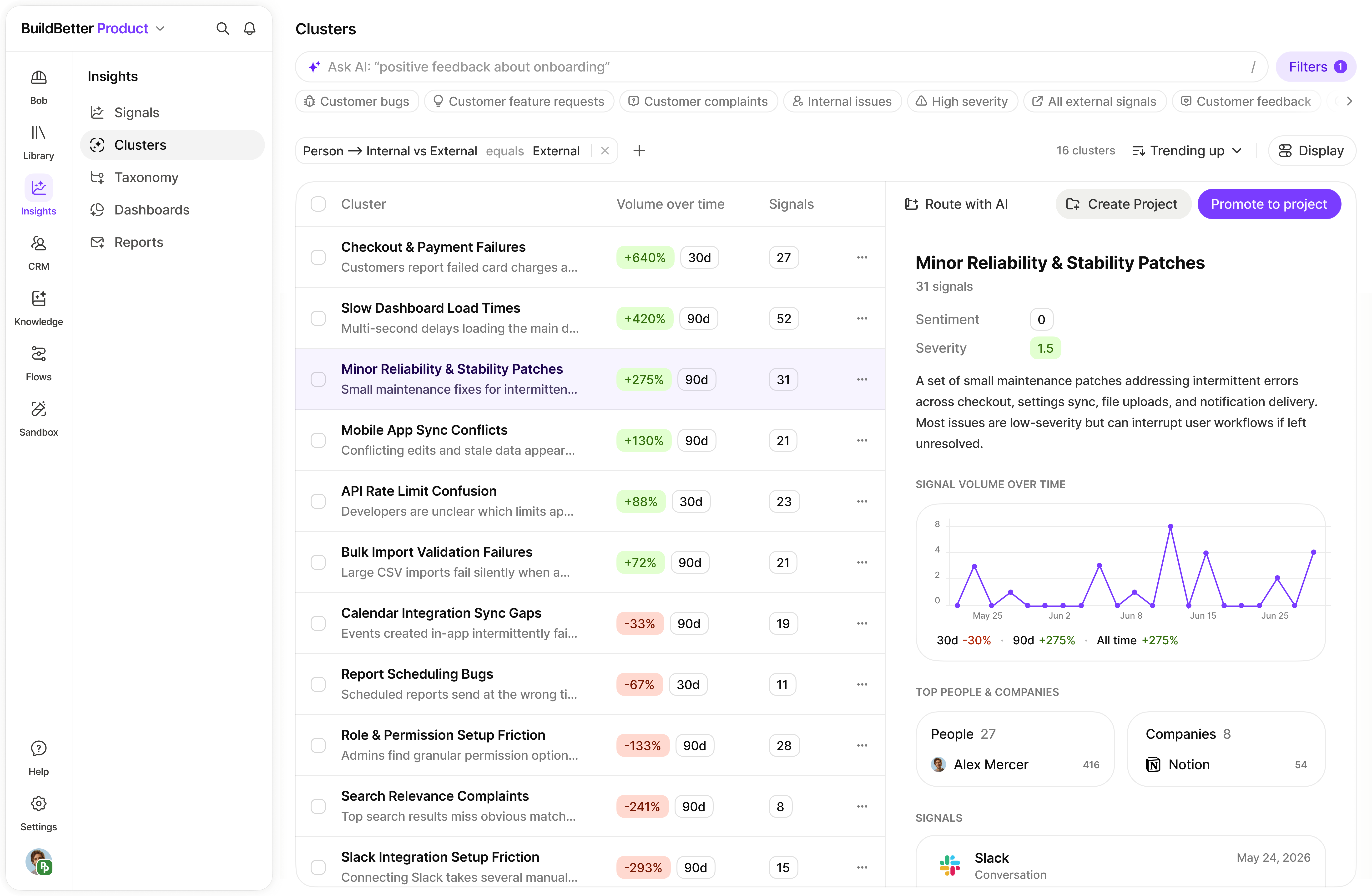

AI-Powered Grouping
ML identifies similar feedback by semantic meaning, not just keywords.
Real-time Analysis
Clusters update automatically as new feedback arrives.
Trend Detection
Spot rising and declining themes before they become problems.
15+ Visualizations
Rich dashboards for every analytical perspective.
Auto-Themes
Similar feedback grouped into themes like 'onboarding issues'.
Pattern Discovery
Surface insights you didn't know to look for.
From raw feedback to actionable insights
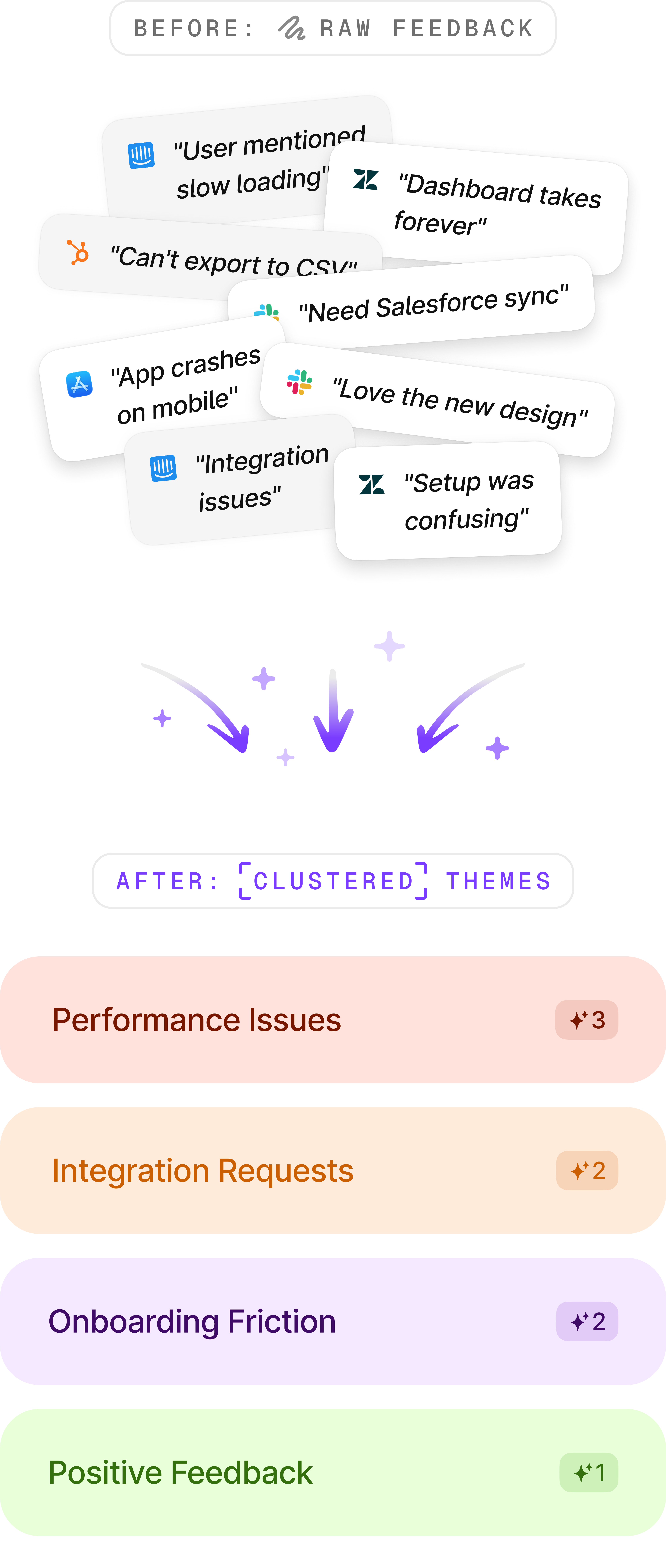
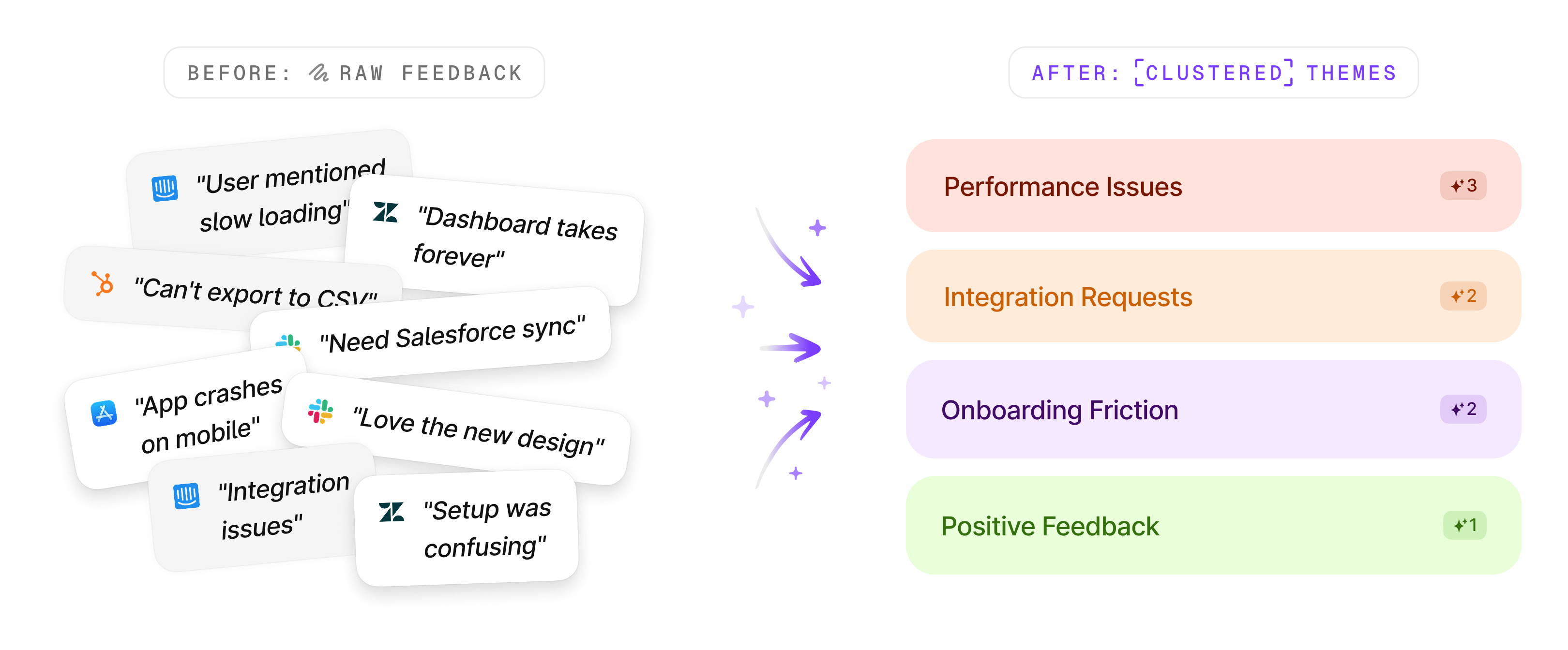
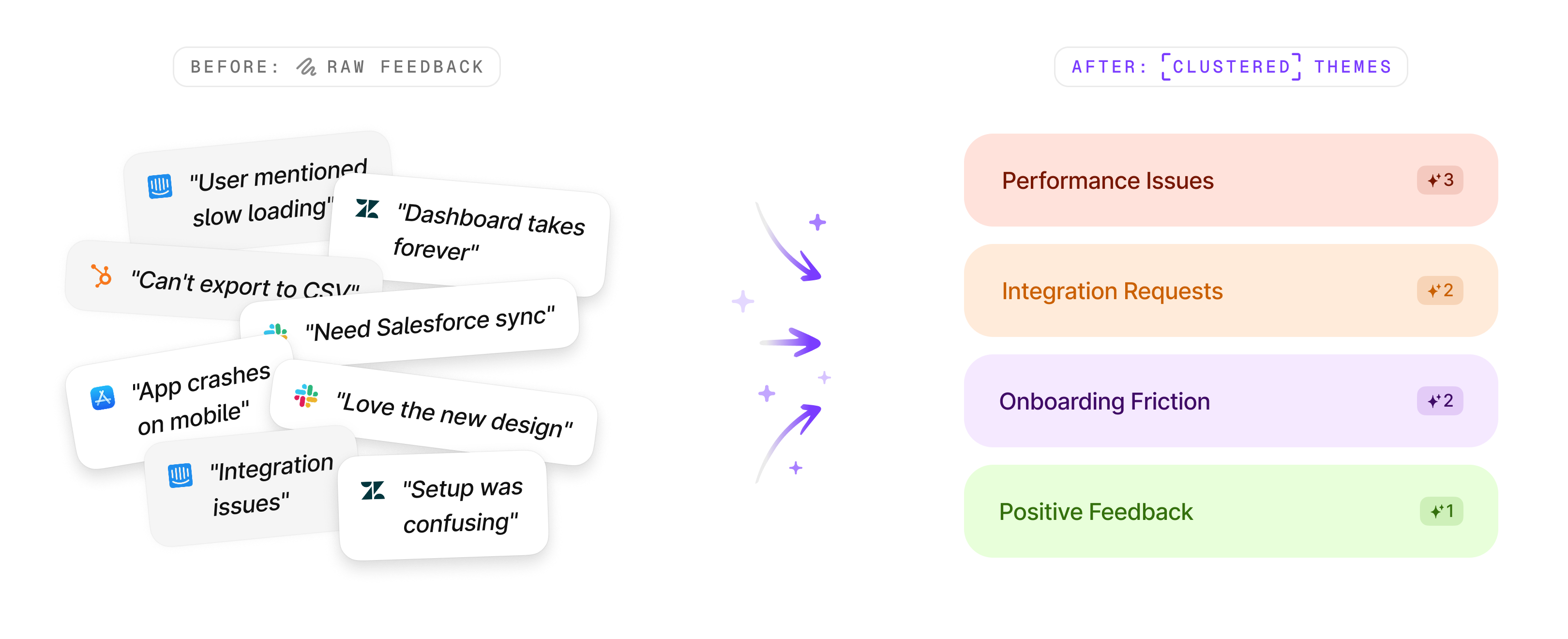
How Clustering Works
From raw feedback to strategic intelligence in four automatic steps.

Automatic Processing
As signals are extracted from calls, chats, and feedback, AI analyzes their semantic content.

Theme Identification
Similar feedback is grouped by meaning, creating themes like “onboarding issues” or “pricing concerns.”

Continuous Refinement
Clusters evolve as more data arrives, becoming more accurate and nuanced over time.

Insight Generation
AI generates reports for each cluster with key insights, root causes, and recommendations.
Clusters require a minimum of 3 similar signals to form, ensuring themes represent actual patterns.
AI-Generated Reports
Each cluster generates comprehensive reports with everything you need to take action.

Trend Analysis

Volume vs. previous period
Growth trajectory
Seasonal patterns

Key Insights
Main themes identified
Common pain points
Emerging concerns

Root Cause
Underlying issues
Contributing factors
System dependencies

Business Impact
Revenue implications
Churn risk assessment
Competitive threats
Visual Analytics Dashboard
Build custom dashboards with 15+ visualization types. Drag-and-drop, configure, and share.

Bar Charts
Top clusters, growth comparisons

Pie Charts
Persona and sentiment distribution

Ridge Charts
Sentiment curves and patterns

Heatmaps
Activity over time, correlations

Timeline Charts
Evolution and trends

Metric Cards
KPIs and growth indicators
Dashboard Features

Real-time Updates
Dashboards refresh as new signals arrive
Interactive Filtering
Cross-filter across all visualizations
Export Options
Save as PNG, PDF, or CSV
Query Builder
Create sophisticated filters using natural language or advanced filter controls.
Example query:
“Show me negative feedback about pricing from enterprise customers in the last 90 days”
Built for Every Team
Role-specific dashboards and insights for product, success, and leadership teams.

Product Management
Track feature request themes
Identify usability issues
Monitor adoption barriers
Prioritize roadmap items

Customer Success
Spot at-risk accounts early
Identify common support themes
Track satisfaction trends
Prevent churn patterns

Leadership
Strategic theme tracking
Quarterly trend analysis
Department performance
Market intelligence

Surface insights you didn't know to look for.
The power of clustering lies in its ability to turn raw feedback into strategic intelligence. Most tools make you search for what you already know. BuildBetter shows you what you're missing.
3 signals
Minimum for clustering
100+ signals
Best results with
What's next
Reports
Share cluster insights with your team
User Research
Discover themes across user conversations
Transform feedback chaos into clarity
