BuildBetter
Use Case

Turn Spreadsheet Feedback into Roadmap Priorities

You have feedback in surveys and spreadsheets—turn it into a prioritized roadmap in 1 hour

1 hourfrom raw spreadsheet to prioritized roadmap

You've been collecting feedback—Google Forms, Typeform, NPS surveys, feature request spreadsheets. It's all there, but it's messy. Hundreds of rows, no clear patterns, and manual analysis takes 8+ hours and still produces gut-feel prioritization. BuildBetter turns your spreadsheet into a data-backed roadmap in a single session.

The Challenge

Spreadsheet analysis is slow, incomplete, and unreliable

  • 200+ rows of feedback with no easy way to find patterns
  • Ctrl+F only finds exact matches—similar ideas stay invisible
  • No idea which problems are actually most common
  • Manual analysis takes 8+ hours and covers only a fraction of responses
  • Results in gut-feel prioritization anyway, defeating the purpose
How BuildBetter Helps

Capabilities

01

Bulk CSV Import

Import 100–1,000 feedback items from any CSV source—Google Sheets, Typeform, SurveyMonkey, NPS tools, or custom spreadsheets—in minutes.

02

Automatic Signal Extraction

AI reads every row and pulls out structured signals: problems, feature requests, praise, and questions—no manual tagging required.

03

Theme Clustering

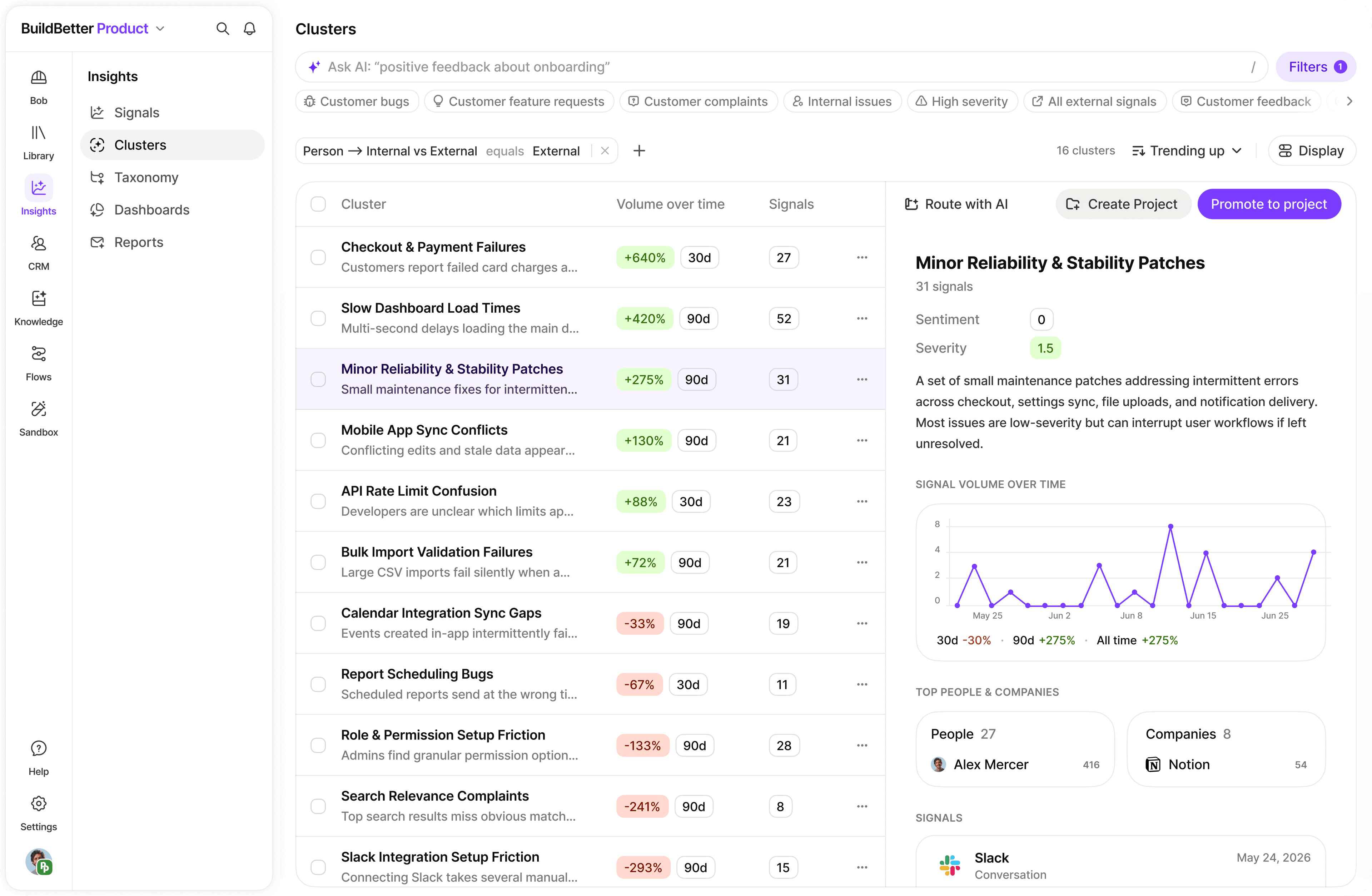
Automatically surface the top 5–10 themes across all feedback, grouping semantically similar responses even when worded completely differently.

04

Prioritization Matrix

Rank themes by frequency, sentiment severity, and customer segment to generate a data-backed roadmap you can share with your team immediately.

Implementation

How to get started

A structured approach to rolling out this workflow in your team.

1

Prepare Your Data — 15 minutes

Export to CSV

Export your feedback from Google Sheets, Typeform, SurveyMonkey, or any NPS/CSAT tool to CSV format. Save it somewhere accessible.

Check Your Columns

Confirm you have a feedback text column (could be named 'Response', 'Comment', 'Feedback', etc.). Optional but helpful: customer name, date, company, user type, and rating.

Quick Cleanup

Remove completely empty rows and merge any multi-line responses. Don't obsess over perfection—BuildBetter handles messy data well.

2

Import to BuildBetter — 10 minutes

Upload Your CSV

Click Upload in the top right, select Import Text Data or CSV Upload, then drag-and-drop your file. BuildBetter starts processing immediately.

Map Your Columns

Map your feedback text column to Content/Message, and optionally map author, date, company, and any metadata columns like NPS score or user segment.

Let It Process

BuildBetter processes each row, extracts signals, identifies sentiment, and categorizes by theme. Takes 5–15 minutes for 100–500 items—you can navigate away while it runs.

3

Explore and Prioritize — 35 minutes

Review Signals and Find Top Problems

Go to Signals, filter by type (Problem, Feature Request, Praise), and scroll for patterns. Look for issues mentioned by 3+ people independently—those are real, not one-offs.

Ask AI to Find Themes

Use Chat to ask: 'What are the top 5 most common problems in this feedback? Group similar issues together.' You'll get a ranked list with representative quotes in seconds.

Build a Prioritization Matrix

Ask Chat: 'Create a prioritization matrix. For each major problem, tell me how many people mentioned it, how frustrated they are, and your recommended priority.' Export as a shareable product brief.

Results

Before & After

Real-world impact teams see after adopting this workflow.

MetricBeforeAfterImprovement
Analysis Time8+ hours1 hour-88%
Pattern Coverage40–60%95%++58% coverage
Feature Adoption (after data-backed roadmap)35%78%+123%
Feedback Items Processable~50 (manual)1,000++1,900%
Guidance

Best Practices

Recommended Practices

  • Start with your largest feedback source first—most teams get 80% of insights from their top 2–3 sources
  • Import all feedback sources (NPS, support, forms) and tag by source so you can segment and compare
  • Look for problems mentioned by 3+ customers independently—frequency across independent reporters signals real need
  • Make tracking a monthly habit: import new feedback, check if earlier complaints are declining, and validate your roadmap

Watch Out For

  • Don't spend hours cleaning data before import—AI handles typos, incomplete sentences, and messy formatting well
  • Avoid acting on a single loud customer before checking if others share the problem—segment by source first
  • Short feedback items (1–3 words) still work but produce weaker signals; longer responses yield richer patterns

Pro Tips

  • Segment by NPS score to see what detractors (0–6) complain about vs. what promoters (9–10) love—they often want very different things.
  • After importing, ask Chat 'Which problems could we fix quickly that would make customers happy?' to surface low-effort, high-impact quick wins.
  • Use BuildBetter's Export feature to get a list of customers who mentioned specific features—makes targeted outreach effortless.
  • The magic is making it a monthly habit: track how feedback themes change as you ship fixes to validate that your roadmap decisions are working.
Get Started

Your feedback spreadsheet is a goldmine. Ready to mine it?

Join thousands of teams already using BuildBetter to turn customer conversations into actionable insights.

Turn Spreadsheet Feedback into Roadmap Priorities | BuildBetter