BuildBetter
Use Case

Your First 5 Customer Calls

Turn your first customer conversations into actionable insights in 30 minutes—no experience needed

30 minto go from first call to team-ready insights

You're a product person at a small team. You've done maybe one or two user interviews, but the insights live in scattered notes that nobody looks at. You want to understand what customers actually need, but analyzing conversations manually takes hours you don't have. This guide shows you how to record five customer calls and get real insights in 30 minutes—not 30 hours.

The Challenge

Manual call analysis doesn't scale even for small teams

  • Insights scattered across Google Docs and sticky notes that nobody reads
  • Manual note review takes 5+ hours for just 5 interviews
  • No easy way to spot patterns across multiple conversations
  • Hard to share findings in a format teams will actually engage with
  • Analysis fatigue means important signals get missed or forgotten
How BuildBetter Helps

Capabilities

01

Automatic Call Recording

Connect your calendar once and BuildBetter auto-joins every customer call as a silent participant—no manual setup required for each session.

02

Signal Extraction

Every call is automatically transcribed and broken into structured signals: problems, feature requests, complaints, praise, and questions—with exact timestamps and quotes.

03

Cross-Call Pattern Detection

View all signals from all calls in one place and filter by type, severity, or topic. Patterns that would take hours to spot manually become obvious in minutes.

04

AI Chat and Document Generation

Ask natural language questions about your calls ('What are the top 3 problems?') and generate shareable research summaries in one click.

Implementation

How to get started

A structured approach to rolling out this workflow in your team.

1

Get Your Data In — 10 minutes

Connect Calendar for Automatic Recording

Go to Settings > Integrations, connect Google Calendar or Outlook, then create a bot recording rule filtering on 'customer' or 'user interview' in the event title. BuildBetter will auto-join matching calls.

Manual Join for One-Off Calls

For calls not on your calendar, click Upload > Join Call, paste the Zoom/Meet/Teams link, and the BuildBetter bot will appear as a participant.

Upload Past Recordings

Have existing recordings? Click Upload, drag-and-drop your MP3, MP4, WAV, M4A, or MOV files, add a title and date, and BuildBetter will transcribe and analyze them (10–30 minutes per hour of recording).

2

Explore Your First Insights — 5 minutes

Open a Processed Call

Go to Calls and Recordings, click your first call, and review the full transcript. Scroll to the Signals section to see everything automatically extracted.

Review Auto-Extracted Signals

Each signal shows its type (Problem, Feature Request, Praise, Question), a plain-English summary, sentiment score, severity rating, and a timestamped quote. Click any timestamp to jump to that moment in the recording.

3

Find Patterns and Share — 20 minutes

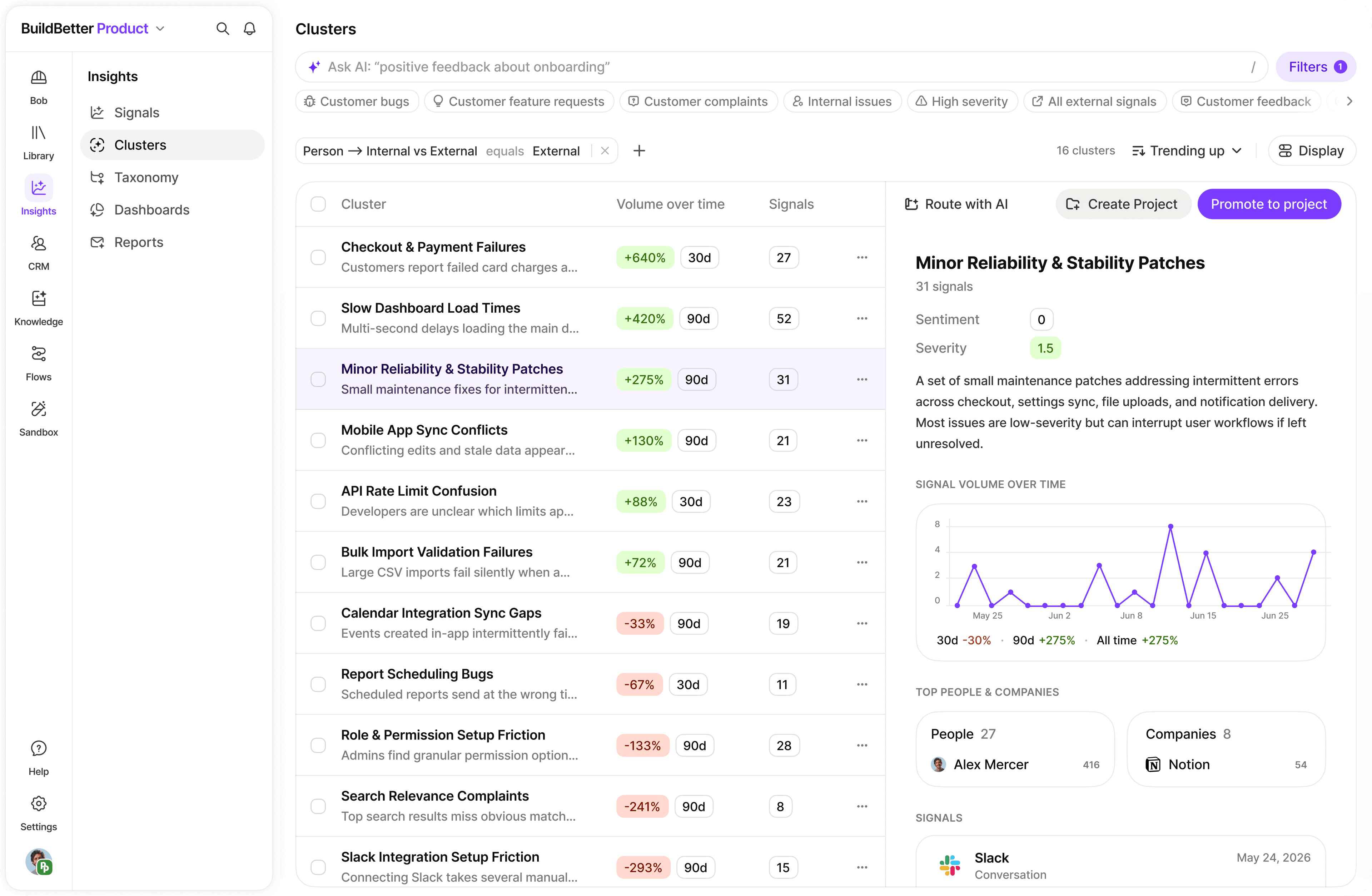
View All Signals Across Calls

Click Signals in the left navigation to see every signal from every call in one feed. Filter by signal type to focus on problems or feature requests.

Create a Dashboard

Go to Clustering, click Customize Dashboard, and add two bar charts: one for top problems grouped by theme, and one for most-requested features. Save and share the URL with your team in Slack.

Ask AI Chat and Generate a Summary

Open Chat, ask 'What are the top 3 customer problems based on my recent calls?', follow up with 'What should I build first?', then click Generate > Generate Document to create a shareable User Research Summary.

Results

Before & After

Real-world impact teams see after adopting this workflow.

MetricBeforeAfterImprovement
Analysis Time (5 interviews)5–6 hours15 minutes-96%
Pattern Detection AccuracySubjective / partial95%+ coverageHigher confidence
Team Engagement with FindingsLow (docs no one reads)High (live dashboard)Better alignment
Feature Adoption After Data-Backed Decisions35% typical78% reported+123%
Guidance

Best Practices

Recommended Practices

  • Always ask for recording consent before the call: most customers say yes when you explain it helps you focus on the conversation
  • If 3+ customers mention the same thing unprompted, it's a real pattern—not a one-off request worth acting on alone
  • Share a live dashboard link in Slack rather than a static document—it updates automatically as you add calls
  • Make reviewing this week's signals a Friday habit: 10 minutes to stay continuously informed instead of periodic deep-dives

Watch Out For

  • Don't wait for 5 perfect calls—start with 2–3 and you'll already get meaningful signal
  • Use topic-specific recording rules so BuildBetter only joins customer calls, not internal standups
  • Short or noisy recordings still work at 95%+ transcription accuracy, but clear audio produces richer signals

Pro Tips

  • Try natural language search in Signals—type 'pricing concerns' and it finds all related signals even when customers used different words like 'cost', 'too expensive', or 'budget'.
  • Use BuildBetter's severity filter to focus first on signals marked critical (red) or important (yellow)—these are the highest-leverage items for your roadmap.
  • The best product teams talk to customers every week. BuildBetter makes it sustainable by removing the analysis burden, so continuous discovery becomes realistic.
Get Started

Ready to turn your next customer call into a product decision?

Join thousands of teams already using BuildBetter to turn customer conversations into actionable insights.

Your First 5 Customer Calls | BuildBetter